
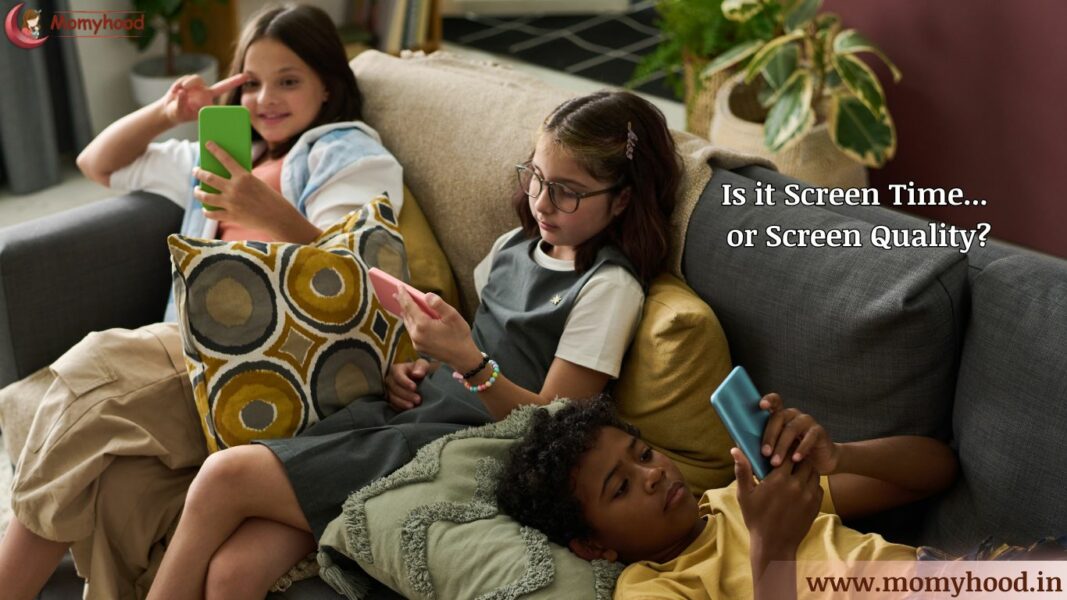
Updated with the new tips on 23rd March 2026: The ‘no-guilt’ roadmap for Managing Screen Time for Kids.
When my son Hitarth was 2.5 years old, we moved cities and spent 15 days in a hotel. There was no park, no playmates, no routine. And honestly? The screen saved us those two weeks.
But the moment we settled in, I asked myself a question I couldn’t ignore: “What am I actually doing to my child’s brain?”
That question started a journey — one where I researched, experimented, felt guilty, course-corrected, and finally found a balance that worked for us.
If you’re a parent worried about screen time for kids, this is the honest, no-fluff guide I wish someone had given me.
Screen Time for Kids — What the Experts Actually Say
Let’s get this out of the way quickly, because I know you’re busy.
The American Academy of Pediatrics (AAP) recommends:
📣 Loved what you read? Want to go deeper into conscious parenting? ✨ The Power of Manifestation in Parenting is now available — A soulful guide packed with real-life tools like affirmations, energy shifts, and sleep talk that I personally use with my son, Hitarth. 💛 Start your journey toward calmer, connected parenting today. 🎉 Launch Offer: Only ₹99 (limited-time price!) 📲 Instant download. No waiting. 👉 Grab your copy now!.
- Under 18 months: No screens except video calls
- 18–24 months: Only high-quality content, with a parent watching alongside
- 2–5 years: Maximum 1 hour per day of quality programming
- 6 years and above: Consistent limits, balanced with sleep and physical activity
These are guidelines, not laws. Every child is different. What matters most is how you use screens — not just how long.
The Real Goal for Managing Screen Time for Kids
The goal isn’t zero screens. The goal is intentional screens. There’s a big difference.
Digital “Junk Food” vs. Digital “Protein”
Not All Screen Time is Created Equal: The “Lean Back” vs. “Lean Forward” Test
If you’re feeling guilty about screen time, I want to give you a tool that changed how I view Hitarth’s iPad. Instead of looking at the clock, look at your child’s posture and engagement.
- “Lean Back” Content (The Digital Junk Food): This is passive consumption. Think of a child slumped on the sofa, eyes glazed, watching endless “surprise egg” unboxing videos or repetitive nursery rhyme loops. Their brain is on cruise control. Like junk food, it’s fine in tiny portions, but too much leads to a “sugar crash” (the epic meltdown when the screen turns off).
- “Lean Forward” Content (The Digital Protein): This is active engagement. This is when Hitarth is leaning forward, furrowing his brow to solve a logic puzzle, tracing letters in a writing app, or “coding” a character to move. His brain is working, building neural pathways, and solving problems.
The Goal: You don’t have to ban the “junk food” entirely, but ensure the majority of their screen diet is high-quality “protein.” Active engagement keeps the brain sharp and actually makes the transition away from the screen easier because the child hasn’t “zoned out.”
Why I Waited Until 2.5 — And Why Later Is Even Better
I introduced screens to Hitarth at 2.5 years — only because of our hotel situation. But looking back, I truly believe waiting until age 4 would have been even better.
Here’s why:
Before age 4, children are in a critical window of imaginative play, language development, and emotional learning. Every hour on a screen is an hour away from that.
After age 4, children develop better self-regulation. They understand rules. They can handle “not now” without a meltdown. They’re ready to use screens as a tool, not a comfort object.
With Hitarth at 2.5, I was lucky — I set clear rules from day one, and he adapted. But I won’t lie: it required constant effort on my part.
The Advantage You Have With Screen Time for Kids After Age 4
Older children can participate in setting their own screen limits. That ownership changes everything — they’re not following your rule, they’re following their rule. Less resistance, more cooperation.
Related read: How I Reduced My Son’s Screen Time from 1 Hour to 10 Minutes in Just One Day!
The Real Benefits of Screen Time for Kids — When It’s Done Right
I know “screen time is bad” is the popular narrative. But controlled screen time genuinely helped Hitarth in these ways — and I’ve seen it work for other kids too:
| 😴 Passive Content | 🧠 Active Content | |
|---|---|---|
| What it looks like | Videos that just play on their own | Apps that ask, respond, and adapt |
| Child’s role | Watching | Doing |
| Brain activity | Low | High |
| Examples | YouTube autoplay, cartoon streaming | Duolingo Kids, Osmo, Khan Academy Kids |
| Language growth | Minimal | Strong |
| Attention span over time | Decreases | Increases |
| Creativity | Not encouraged | Actively built |
| Parent needs to be present? | Yes — always | Occasionally |
| Recommended for under 5? | No | Yes, with time limits |
| The honest truth | Entertains but doesn’t build | Entertains and builds |
📚 Reading Habits Digital books with read-along audio made Hitarth want to read. The animations, narration, and interactive elements kept him engaged on days when physical books simply couldn’t. If your child is a reluctant reader — a good e-book app might be your best friend.
🎨 Enhanced Creativity Drawing apps, music tools, and digital storytelling platforms gave Hitarth a creative outlet he genuinely loved. Some of his best artwork came from a screen — and the confidence it built spilled into everything else.
🔤 Early Learning Letters, numbers, shapes, colours, problem-solving — the right apps made these feel like play, not study. Hitarth was absorbing concepts at his own pace, in a format that actually held his attention.
🌍 Access to Information Educational videos opened up conversations in our house that I never would have started on my own — about space, animals, history, how things work. His curiosity grew because screens gave it somewhere to go.
💬 Language Development Well-made apps exposed Hitarth to rich vocabulary in real context — which is exactly how children absorb language best. I noticed his sentence structure improving, and he started using words I hadn’t even taught him.
💻 Digital Literacy Skills We live in a digital world. Learning how to navigate apps, use a search bar responsibly, and understand basic online safety — these are life skills now, not optional extras. Controlled screen time gave Hitarth a safe space to build these skills early, with me right beside him.
🚀 Preparation for the Future Every classroom, every workplace, every system Hitarth will interact with as he grows up will involve technology. Early, intentional exposure means he won’t be starting from zero — he’ll already be comfortable and confident in digital environments.
👫 Social Interaction This one surprised me. When Hitarth played age-appropriate educational games that involved collaboration or multiplayer elements, he was practising communication, turn-taking, and teamwork — just through a screen. Done right, screens can actually build social skills, not just replace them.
🎯 Personalised Learning The best educational apps adjust to your child’s level automatically. If Hitarth got something wrong, the app tried again differently. If he excelled, it moved forward. That kind of personalised feedback is hard to replicate in a traditional classroom — and it kept him from getting bored or frustrated.
♿ Accessible Learning For children with special needs or different learning styles, screens can be genuinely life-changing. Visual aids, audio support, adjustable text sizes, customisable settings — quality apps are often built with inclusion in mind in a way that printed materials simply aren’t.
👩👧 Parental Involvement Here’s the benefit nobody talks about — when I sat with Hitarth during screen time, it became our time. We watched together, talked about what we saw, asked questions, and laughed. Screens gave us a shared experience. That’s not something I expected — but it became one of my favourite parts of our routine.
The keyword here is “right content, right time, right amount.” Passive YouTube rabbit holes? Not this list. Intentional, quality screen time for kids? Absolutely worth it.
Managing Screen Time for Kids — What Actually Works at Home
Here’s what I do. Not what I read in a book — what I actually do with Hitarth:
Set a Visual Timer (Not Just a Warning)
Kids don’t understand “10 more minutes.” They understand a timer they can see. A visual countdown timer on the counter removes the negotiation completely.
Co-Watch Whenever Possible
When I sit with Hitarth and ask “what’s happening in this show?” — it becomes learning, not just watching. And he loves the attention. Two birds, one stone.
Create Screen-Free Zones — Not Screen-Free Days
All-day bans create rebellion. But “no screens at dinner” and “no screens in the bedroom” — those stick. Boundaries work better when they’re specific.
Replace, Don’t Just Remove
When I cut screen time, I always replaced it with something. A puzzle. A drawing challenge. A walk. “No screens” with nothing to do = tantrum. “No screens, but let’s do this” = smooth transition.
Model It Yourself
This one is uncomfortable but true: Hitarth watches how much I use my phone. If I’m scrolling through dinner, I’ve already lost the argument. Children do what they see, not what they’re told.
The Bottom Line on Managing Screen Time for Kids
Consistency beats perfection. You don’t need a perfect screen time plan. You need a simple, consistent one that your family can actually follow.
When Screen Time Becomes a Problem — Signs to Watch For
Managing screen time for kids gets harder when it’s already out of control. Here are honest signs it may have crossed a line:
- Your child can’t transition off screens without a major meltdown
- Screens are the first thing they ask for every morning
- They’ve stopped showing interest in physical play or social interaction
- Screen time is disrupting sleep — even when devices are off an hour before bed
- You feel like screens are the only thing that works to manage their behavior
If you recognize these signs — no guilt. Just a signal to recalibrate. Gradual reduction works far better than cold turkey.
The Reset Strategy for Screen Time for Kids Who Are Already Overexposed
Start by replacing 15 minutes of screen time per day with one alternative activity they genuinely enjoy. After 2 weeks, replace another 15 minutes. Slow and steady gets cooperation — and cooperation lasts.
The Science of the “Digital Crash”
It’s Not a Tantrum—It’s a Dopamine Crash
Have you ever wondered why your child is an angel one minute and having a total meltdown the second the screen turns off? It’s not “bad behavior”—it’s biology.
Screens, especially “Lean Back” content, provide a high-dopamine environment. Every bright color, fast transition, and “level up” sound gives the brain a tiny hit of dopamine (the feel-good chemical). When we suddenly take the screen away, that dopamine level drops instantly.
Imagine your child’s brain just came off a high-speed roller coaster and was immediately told to sit still and eat broccoli. The brain physically struggles to calibrate. That “screen-time tantrum” is often just a physiological crash from a high-stimulus activity. Understanding this helped me stop reacting with anger and start using the Visual Timers and ‘Replacement’ strategies I’ve shared below.
Building a “Dopamine Bridge” Since their brain is “crashing,” we can’t just expect them to go from 100 to 0. We need a bridge:
-
Physical Movement: Have them do 10 jumping jacks or a “1-minute dance party” the moment the screen goes off. Movement helps naturally regulate dopamine.
-
High-Touch Connection: Sit with them for the last 2 minutes of their show. Ask, “What was the coolest part?” This shifts them from “Digital World” to “Connection World” before the power goes off.
-
The “Next Fun Thing” Choice: Always give them a choice of what happens next. “The tablet is going to sleep now. Do you want to build with Legos or help me stir the pasta?”
Quick FAQs — Screen Time for Kids, Answered Fast
Q: How much screen time is okay for my child?
It depends on age. Under 2 — avoid it. Ages 2–5 — max 1 hour of quality content per day. Ages 6 and above — set consistent limits that don’t eat into sleep, homework, or physical play. These are guidelines, not rigid rules. Use your judgment based on your child’s behaviour and mood.
Q: My child is already addicted to screens. Is it too late?
No. It’s never too late to reset. Start small — reduce by 15 minutes every two weeks. Involve your child in setting the new rules. Cooperation always outlasts force.
Q: Won’t too much screen time affect my child’s social skills?
Excessive, uncontrolled screen time — yes, it can. But managed screen time balanced with outdoor play and real-world interactions doesn’t significantly harm social development. The key word is balance.
Q: Should I be worried about screen time affecting my child’s health?
If screens are replacing sleep, physical activity, or face-to-face interaction — yes, that’s a concern. But used intentionally, with time limits and quality content, the health risks are manageable. Watch for mood changes, sleep disruption, or withdrawal behaviours — those are your clearest signals.
Q: Are educational apps and programs actually worth it?
Yes — IF they are interactive (not just passive watching), age-appropriate, and time-limited. Apps that respond to your child, ask questions, and adjust to their level are genuinely valuable. Passive content that just plays on its own? Much less so.
Q: How do I find good quality content for my child?
Stick to trusted sources — Common Sense Media for reviews, app stores with verified “Editor’s Choice” tags, or recommendations from teachers and pediatricians. Always preview content yourself before handing it to your child.
Q: Does screen time really affect sleep?
Yes — and this one is well-proven. The blue light from screens suppresses melatonin, the hormone that signals sleep. A 45–60 minute screen-free window before bedtime makes a real, measurable difference. We follow this strictly with Hitarth, and the change in his sleep quality was almost immediate.
Q: How do I keep my child safe online?
Start conversations early — not lectures, conversations. Teach them to never share personal information, never talk to strangers online, and always come to you if something feels wrong. Use parental controls as a backup, not a replacement for trust and communication.
Q: Should I completely ban screens for my child?
I don’t think so — and I say this as someone who tried. A complete ban creates curiosity and rebellion. Technology is part of the world your child is growing up in. The goal is to teach them to use it wisely — not to fear it. Controlled, purposeful screen time is far more sustainable than a total ban.
Q: What about screens for kids with special needs?
Many apps are specifically designed with accessibility in mind — visual aids, audio support, adjustable difficulty, and customisable settings. In these cases, screens can genuinely be therapeutic and supportive tools. Always work alongside your child’s therapist or specialist to choose the right content.
What I’ve Learned After Years of Managing Screen Time With Hitarth
I used to think good parenting meant no screens. Now I think it means intentional parenting — and that sometimes includes screens, and sometimes doesn’t.
Hitarth is growing up in a digital world. My job isn’t to shield him from it forever — it’s to teach him how to live in it wisely.
That’s the real goal of managing screen time for kids.
Start where you are. Adjust as you go. And give yourself grace along the way. 💕
Your comments and shares do more than just support our blog—they uplift the amazing moms who share their stories here. Please scroll down to the end of the page to leave your thoughts, and use the buttons just below this line to share. Your support makes a big difference!